Save KSh 14000
Warning: Array to string conversion in /home/u473756060/domains/duka-express.co.ke/public_html/wp-includes/formatting.php on line 1128
Warning: Array to string conversion in /home/u473756060/domains/duka-express.co.ke/public_html/wp-includes/formatting.php on line 1128
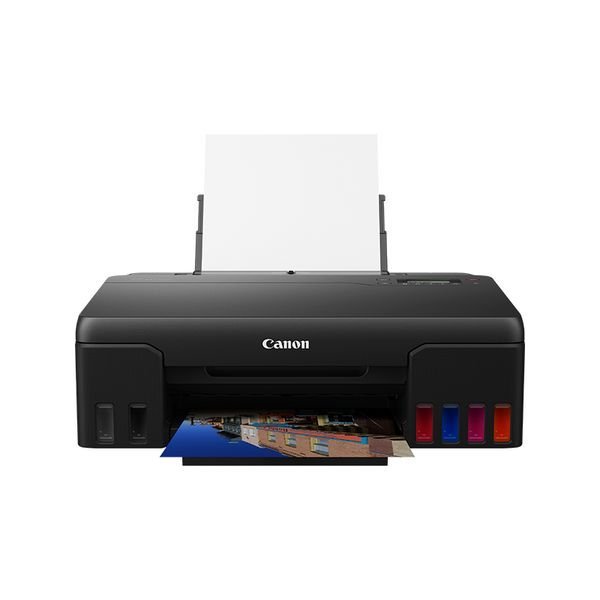
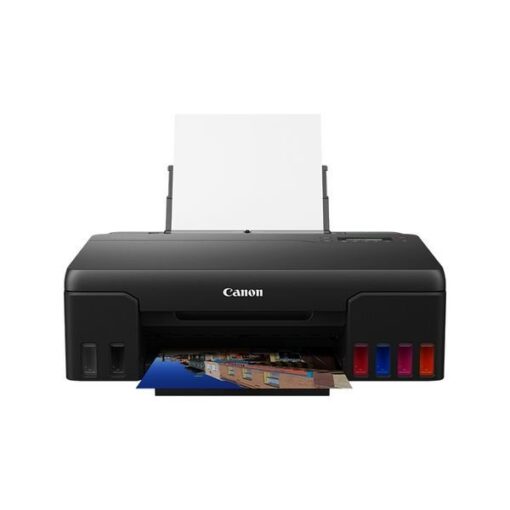
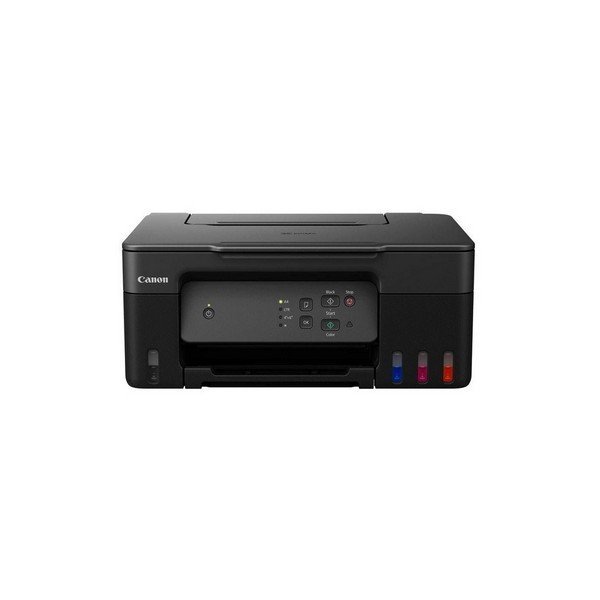
Canon PIXMA G540 Single Function Printer
- Print Technology: Inkjet
- Functions: Print, Scan, and Copy
- Print Resolution: Up to 4800 x 1200 dpi
- Print Speed: Up to 13.0 ipm (images per minute) for black-and-white and up to 6.8 ipm for color prints
- Connectivity: USB, Wi-Fi, and mobile printing (supports Canon PRINT app, Mopria, and Google Cloud Print)
- Integrated Ink Tank System: Four refillable ink tanks (Cyan, Magenta, Yellow, and Black)
Original price was: KSh 60,000.00.KSh 46,000.00Current price is: KSh 46,000.00. Ex.VAT
Add to wishlist Add to compareAsk about productDescription
Canon PIXMA G540 Single Function Printer
The Canon Pixma G540 is an all-in-one inkjet printer designed to cater to the printing, scanning, and copying needs of home and small office users. It is part of the Canon G series, which is known for its integrated ink tank system, providing users with high-volume, cost-effective printing.
Product Features
General Specifications:
- Model Numbers:
- PIXMA G540
- Functions:
- Wi-Fi, Print & Cloud
Printer Specifications:
- Print Resolution:
- Up to 4800 x 1200 dpi1
- Print Technology:
- 2 FINE Print Heads (Left: BK/R/Gy, Right: C/M/Y)
- Refillable ink tank printer
- Mono Print Speed:
- Approx. 3.9 ipm2
- Colour Print Speed:
- Approx. 3.9 ipm3
- Photo Print Speed:
- Borderless 4″ x 6″ (10x15cm): Approx. 47 seconds4
- Borderless Printing:
- Yes
- A4, LTR, 4″ x 6″ (10x15cm), 5″ x 7″ (13x18cm), 7″ x 10″ (18x25cm), 8″ x 10″ (20x25cm), Square 5″ x 5″ (127mm x 127mm), Square 3.5″ x 3.5″ (89 mm x 89 mm), Card Size 55mm x 91 mm (2.17″ x 3.58″)5
- Yes
- Two Sided Printing:
- Manual operation
Consumables and Yields:
- Standard Ink Bottles:
- GI-43 <BK>, GI-43 <C>, GI-43 <M>, GI-43 <Y>, GI-43 <R>, GI-43 <GY>
- Maintenance Cartridge:
- MC-G02 (User Replaceable)
- Bottle Yield (Plain Paper):
- A4 colour documents printing6
- Black: 3,700 pages
- Colour: 8,000 pages
-
- Estimated supplemental yield
- A4 colour documents printing6
- Bottle Yield (Photo Paper):
- 4″ x 6″ (10x15cm) colour photo printing7
- Colour: 3,800 photos
-
- Estimated supplemental yield
- 4″ x 6″ (10x15cm) colour photo printing7
Paper Support:
- Paper Types:
- Plain Paper
- Photo Paper Pro Luster (LU-101), Photo Paper Plus Glossy II (PP-201)
- Matte Photo Paper (MP-101), Glossy Photo Paper “Everyday Use” (GP-501)
- High Resolution Paper (HR-101N), Photo Paper Plus Semi-gloss (SG-201), Premium Fine Art Rough <FA-RG1>
- Restickable Photo Paper(RP-101), Magnetic Photo Paper(MG-101)
- Dark Fabric Iron on Transfers (DF-101), Light Fabric Iron on Transfers (LF-101)
- Double-sided Matte Paper (MP-101D)
- Greeting Card (manufactured by Avery and RedRiverPaper), Cardstock (manufactured by Neenah Paper and INKPRESS)
- Canon Red Label Superior(WOP111), Canon Oce Office Colour Paper(SAT213)
- Maximum Paper Input:
- Rear Tray: Plain paper: 64 – 105 g/m² (100 sheets) or supported genuine Canon papers
- Paper Sizes:
- A4, A5, B5,A6, LTR, LGL, 4″ x 6″ (10x15cm), 5″ x 7″ (13x18cm), 7″ x 10″ (18x25cm), 8″ x 10″ (20x25cm), Square 5″ x 5″ (127mm x 127mm), Square 3.5″ x 3.5″ (89 mm x 89 mm), Card Size 55mm x 91 mm (2.17″x3.58″)
- Envelopes(DL, COM10, C5, Monarch), [Custom size] width 55 – 216 mm, length 89 – 1200 mm
- Paper Weight:
- Rear Tray: Plain paper: 64 – 105 g/m² or supported genuine Canon papers
- Photo paper: max paper weight: approx. 275 g/m² or supported genuine Canon papers
Interface:
- Display Type & Size:
- Full Dot LCD (Monochrome)
- Connectivity:
- Standard Interface
- Hi-Speed USB (USB B Port)
- Wi-Fi: IEEE802.11 b/g/n/a8
- Wi-Fi Security: WPA-PSK, WPA2-PSK, WEP, Administration password
- Wireless LAN Frequency Band: 2.4 GHz
- PictBridge Wi-Fi9
- Standard Interface
- Mobile Apps:
- Canon PRINT Inkjet/SELPHY app10
- Creative Park app11
- Easy-PhotoPrint Editor app12
Printer Features:
- Easy-PhotoPrint Editor Software13
- PIXMA Cloud Link (print – from smartphone or tablet only)14
- Canon Print Service Plugin (Android)15
- Apple AirPrint16
- Wireless Direct17
- Mopria (Android)18
Software:
- Supported Operating Systems:
- Windows 10, Windows 8.1, Windows 7 SP1
- The operation can only be guaranteed on a PC with pre-installed Windows 7 or later.
- Printer driver and IJ Printer Assistant Tool are available with the following OS:
- Windows Server 2008 R2 SP1, Windows Server 2012 R2, Windows Server 2016, Windows Server 2019
- Mac: OS X 10.12.6 ~ macOS 10.15
- Chrome OS
- Mobile Operating Systems: iOS®, iPadOS, Android™21
- *OS compatibility was confirmed at the time of launch; please check the Canon Download Centre for support of subsequently released OSs for this product.
- Windows 10, Windows 8.1, Windows 7 SP1
- Minimum System Requirements:
- Windows: 1.5GB or more
- Note: for bundled software installation. The necessary amount of hard disk space is required.
- Windows: 1.5GB or more
- Software Included:
- Printer Driver
- IJ Printer Assistant Tool
- Easy-PhotoPrint Editor (download)
Physical Features:
- Weight:
- Approx. 5.1Kg
- Dimensions (W x D x H):
- Approx. 445 x 340 x 136mm (trays retracted)
- Approx. 445 x 564 x 249mm (trays extended)
- Acoustic Noise Levels:
- Approx. 50.5dB(A)22
- Recommended Operating Environment:
- Temperature: 5-35°C
- Humidity: 10-90%RH (no dew condensation)
- Power Source:
- AC 100-240V, 50/60Hz
- Power Consumption:
- Off: Approx. 0.2W
- Standby (USB connection to PC): Approx. 0.6W
- Standby (all ports connected): Approx. 1.2W
- Time to enter Standby mode: 4 minutes 4sec*
- Printing: Approx. 14W
- *The wait time for standby cannot be changed
- Typical Electricity Consumption:
- 0.18 kWh23
Related products
-
+ wishlist+ compare
Canon i-SENSYS MF754Cdw Printer
Original price was: KSh 94,000.00.KSh 86,000.00Current price is: KSh 86,000.00. Ex.VATAdd to cart -
+ wishlist+ compare
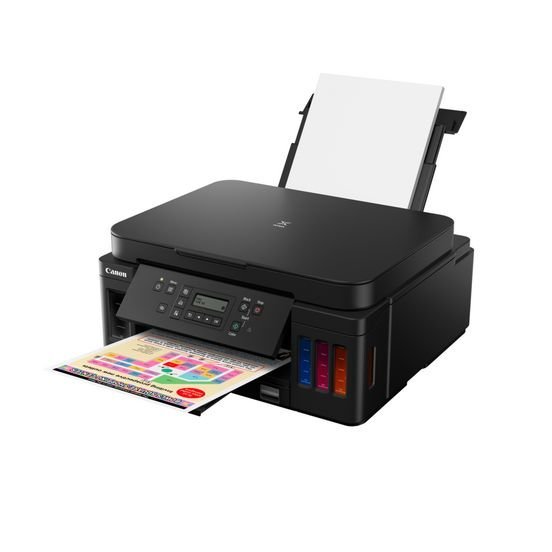
Canon Pixma G6040 All In One inkjet Printer
Original price was: KSh 55,000.00.KSh 46,000.00Current price is: KSh 46,000.00. Ex.VATAdd to cart -
+ wishlist+ compare
Canon I-Sensys LBD223dw Printer
Original price was: KSh 40,000.00.KSh 32,000.00Current price is: KSh 32,000.00. Ex.VATAdd to cart -
+ wishlist+ compare
Canon Pixma G2430 All-In-One Printer
Original price was: KSh 30,000.00.KSh 25,500.00Current price is: KSh 25,500.00. Ex.VATAdd to cart -
+ wishlist+ compare
Canon PIXMA G3430 Inkjet A4 Wi-Fi
Original price was: KSh 40,000.00.KSh 27,000.00Current price is: KSh 27,000.00. Ex.VATAdd to cart


Reviews
There are no reviews yet.